บทความ

Root BlueStack บน Windows XP
รูปภาพ
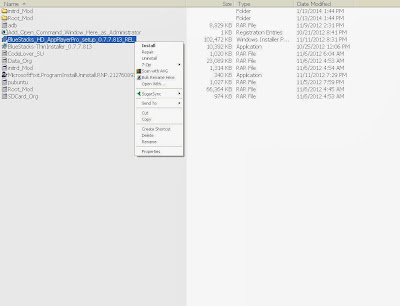
BlueStack คือ โปรแกรมจำลอง(Emulator) เพื่อการใช้ Application Android (APK) บนเครื่องคอมพิวเตอร์ ในที่นี้ผมใช้บน Windows XP ผมใช้ BlueStacks ที่ Rooted แล้ว Ver.0.7.7.813 มีขั้นตอนดังนี้ 1.Download  file : จาก 4Shared http://www.4shared.com/zip/hhLXTr5Aba/BlueStacks.html 2.ทำการติดตั้ง BlueStacks 0.7.7.813 จาก File BlueStacks_HD_AppPlayerPro_setup_0.7.7.813_REL 3.ปิด Bluestacks โดยสมบูรณ์ กดปุ่ม Ctrl+Alt+Del เลือก Task Manager ปิดโปรแกรม HD-??.exe ทั้งหมด จน icon BlueStacks ที่ Taskbar หายไป 4.คลี่ไฟล์  Unpack ด้วย  7zip  จะ ได้ Root.fs and initrd.img 5.Copy File ลงใน Folder (ใน Windows XP อยู่ที่ : x:\Documents and Settings\All Users\Application Data\BlueStacks\Android) 6.Restart BlueStacks จะได้ BlueStacks ที่ Rooted แล้ว
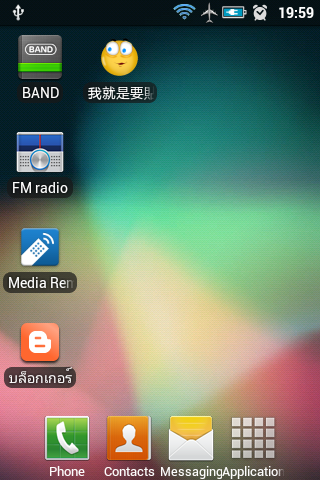
โหลดไฟล์ apk ที่โหลดสติ๊กเกอร์ลายครับ Ver F

รูปภาพ
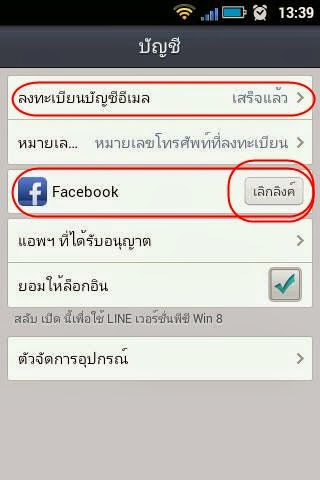
ของ ไทเกอร์ หวง  Version : f วิธีโหลดสติ๊กเกอร์ Line ฟรี 1. สำหรับ Android ที่ Root แล้วเท่านั้น version android 2.3 ขึ้นไป 2. ถ้าบัญชี Line ที่ register ด้วยเบอร์โทรมานะครับ ให้เอาเบอร์โทรออก วิธีการคือ ต้อง Link ด้วย Facebook และ register E-mail ไว้ แล้ว ลบ Line ออกก่อน(setting>apps>manage apps>un install) และลงโปรแกรมใหม่ ให้ล๊อคอินด้วย Facebook ครับ ไม่ใส่เบอร์มือถือ 3. วิธีการติดตั้ง 3.1.โหลดไฟล์ APK จาก link https://drive.google.com/file/d/0BzudE0BvzLOiVk1Qa1pVamYwTUE/edit?usp=sharing 3.2.ไปที่ไฟล์ apk นั้นส่วนใหญ่จะอยู่ folder download 3.3.ติดตั้งไฟล์ 3.4.เปิด apps โหลด sticker ตามใจชอบ

Line application : Load sticker ต่างประเทศ free โดยใช้ VPN

รูปภาพ
ต้องลงทะเบียน E-mail และ Facebook ด้วยครับ และ อย่าลืมเอาเบอร์โทรที่ลงทะเบียนไว้ ออก ก่อนนะครับ ตามภาพ iOS 1.ที่ app store > download + ใช้ app : ovpn https://itunes.apple.com/th/app/openvpn-connect/id590379981 2.เปิด vpngate.net ด้วย safari 3.เลื่อนลงไปที่ธง ญี่ปุ่น ฯลฯ เลือก ญี่ปุ่น ฯลฯ 4.เลือก open with ovpn 5.ที่ ovpn กดปุ่มเครื่องหมาย +    slide off เป็น on ขึ้นคำว่า vpn มุมซ้ายบน 6.กดปุ่ม home 2 ครั้ง 7.ปิด line iOS 4-6 กด home ค้างไว้ เจอ iCon Line ที่แถบ มีเครื่องหมาย - มุมบนซ้าย กด - iOS 7 สไลด์ Line ขึ้นข้่างบน 8.เปิด line อีกครั้ง 9.download sticker ตามที่ต้องการ ได้แล้วครับ Android 1.ที่ play store > download + ใช้ app : TigerVPNS https://play.google.com/store/apps/details?id=com.tigervpns.android&hl=en 2. ที่ Apps TigerVPNS 3.กดปุ่ม ลูกโลก ล่างซ้าย  เลือก ญี่ปุ่น ฯลฯ 4. กดปุ่ม start vpn 5. เมื่อ Connected เรียบร้อยแล้ว ข...

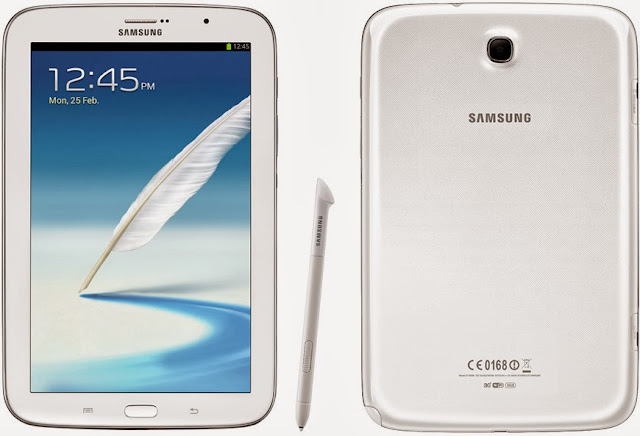
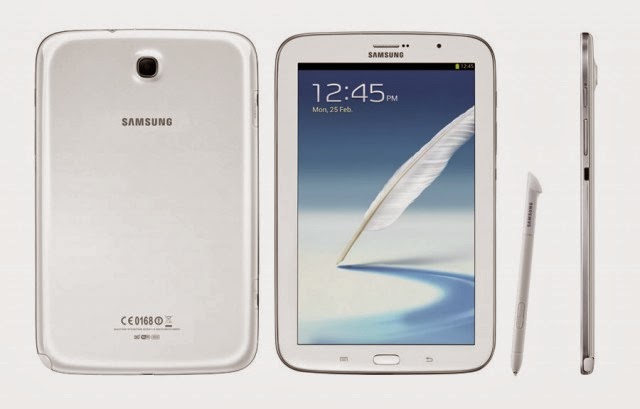
Root Galaxy Note 8.0 (Wi-Fi) N5110 on Android 4.2.2 Jelly Bean Firmware

รูปภาพ
เครื่อง Jimmy หลังจากที่ เปลี่ยน Firmware เป็น 4.2.2 แล้ว เครื่องก็เป็น Unroot สามารถย้าย Apps ลง SD Card ได้ แต่ Apps บางตัวต้องการใช้การ Root จึงจะใช้งานได้ ก็ต้องหาวิธีรูท ดังวิธีนี้ Samsung has released the Android 4.2.2 Jelly Bean update for the Wi-Fi version of Galaxy Note 8.0 (GT-N5110). The new official firmware is now available as an Over-The-Air (OTA) update as well as through Samsung KIES. Samsung Galaxy Note 8.0 (Wi-Fi) N5110 users who have already updated their devices with Android 4.2.2 Jelly Bean, may root their devices using the tutorial below. This tutorial uses CF-Auto-Root file released by recognised XDA-Developers, Chainfire. The CF-Auto-Root file allowing Galaxy Note 8.0 (Wi-Fi) users to root their devices easily without depending on the firmware. It completely supports Android 4.2.2 Jelly Bean and future firmware as well. Head over to the CF-Auto-Root main thread to learn more about the root method. Note: Using this root increases your flash count...

Unroot Samsung Note 8

รูปภาพ
เครื่อง Jimmy How to Unroot the Samsung Galaxy Note 8.0 Maybe you’ve messed up with your Samsung Galaxy Note 8.0? Maybe you want to send it in for warranty reasons? Either way, this guide should help you. The procedure below flashes the stock firmware on your device and lets you have the pure Android experience you had when you purchased the device. So here’s how you can go about doing so: I. Before You Begin: 1. You should have rooted your device using the procedure given  here . 2. Your device should have at least 70% of battery life left. 3. This works for the GT-N5100 variant only. II. Downloading Required Files: 1.  Stock Firmware  (Download the appropriate firmware for your device) 2.  Odin III. Unrooting the Samsung Galaxy Note 8.0: 1. Place both the files you downloaded to your Desktop. 2. Extract files from both the archives over to your Desktop. 3. Double-click on the  Odin   executable file and it should launch. 4....

Root HTC Desire V(T328w)

รูปภาพ
เครื่องของอบต.โภช สาเหตุที่ต้อง root เพราะต้องการลง Apps ที่โหลดสติ๊กเกอร์จากไลน์ฟรี โดยไม่ต้องพึ่ง VPN credit : http://theunlockr.com/2013/03/06/how-to-root-the-htc-desire-v/ How to Root the HTC Desire V Posted by Mahesh Makvana Wednesday, March 6th, 2013 All in One Toolkits have really made rooting smartphones easier and such tools also offer additional customization options, such as flashing recovery, unrooting the device and so on. If you’ve purchased the HTC Desire V smartphone and are looking for a way to root it, then this guide will help you do so. It shows how you can root your HTC Desire V smartphone and enjoy all of those third-party goodies you wouldn’t normally get on an unrooted device. Here’s how you can do that: I. Before You Begin: 1. This will void the warranty of your device. However, you can reinstate the warranty by unrooting the device if there’s any unrooting procedure available. 2. You must have unlocked bootloader of your devic...

Apps Lucky Patcher

รูปภาพ
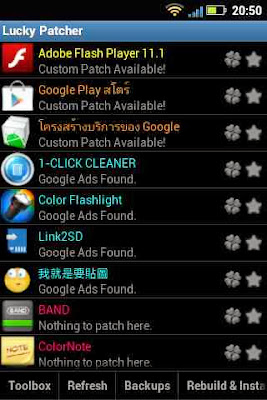
แนะนำ Apps ที่ย้าย Data ลงใน SD Card สำหรับเครื่อง rooted Lucky Patcher is a great Android tool to remove ads, modify Permissions, bypass premium applications license verification, and more.  To use this application, you need a rooted device.  Know:  Although stable, functioning of Lucky Patcher can't be guaranteed at 100%.  So you are solely responsible of use of this application.  Under no circumstances Netbew be responsible for any problems caused to your device (rebooting loop, unstable system, etc...). Download http://lucky-patcher.netbew.com/ http://www.cyber4shared.com/view-zip/2fNhQP6G/Lucky_Patcher_APK_357_Android.html